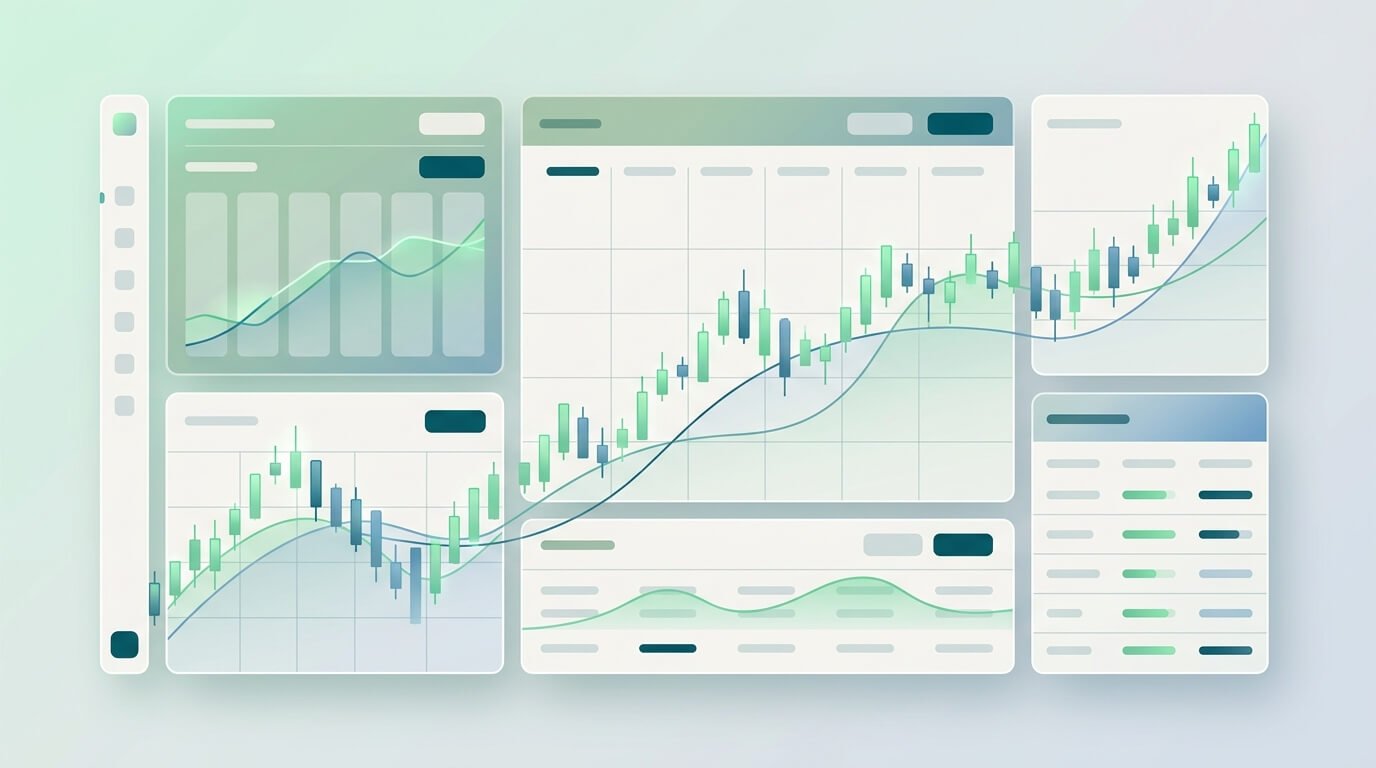
Crypto Trading Dashboard: Best Unified Platform for Multi-Exchange Trading in 2026
Managing crypto positions across multiple exchanges used to mean juggling browser tabs, spreadsheets, and mobile apps. A crypto trading dashboard solves this by connecting all your exchanges into one interface where you can monitor markets, execute trades, and track performance without switching platforms. This guide covers what separates genuinely useful trading dashboards from glorified portfolio trackers in 2026.
What Is a Crypto Trading Dashboard?
A crypto trading dashboard is a unified interface that aggregates data from multiple cryptocurrency exchanges, allowing traders to monitor positions, execute orders, and analyze market conditions from a single screen. Unlike passive portfolio trackers that simply display your holdings, proper trading dashboards provide real-time market data feeds, order execution capabilities, and advanced charting tools that active traders depend on.
Key Features That Define Modern Crypto Dashboards
The core functionality of any legitimate crypto trading dashboard includes real-time data aggregation from connected exchanges, live order book displays, and synchronized position tracking across platforms. When you execute a trade on Binance through your dashboard, that order should appear instantly across all connected interfaces without manual refresh. The dashboard pulls data through exchange APIs and presents it in formats optimized for quick decision-making—price alerts, P&L calculations, and technical chart overlays all visible simultaneously.
Modern dashboards in 2026 handle order routing, letting you place limit orders, stop-losses, and take-profit levels that execute directly on your chosen exchange. The best platforms support advanced order types including trailing stops, OCO (one-cancels-other), and iceberg orders depending on what each exchange permits through their API.
Dashboard vs Portfolio Tracker: Understanding the Difference
Portfolio trackers answer the question "what do I own?" by displaying your current holdings and their values. They're built for passive investors checking balances and tax basis. Trading dashboards answer "what should I do next?" by showing order flow, volume patterns, and providing tools to act on opportunities immediately.
If you trade daily or need to react to market movements quickly, a portfolio tracker won't cut it. You need real-time price feeds, not 15-minute delayed data. You need one-click order placement, not copy-pasting between your tracker and exchange. The fundamental difference is passive observation versus active execution.
In 2026, we're seeing dashboards evolve beyond crypto-only tools. Multi-asset integration now allows traders to monitor Bitcoin alongside S&P 500 futures or forex pairs—useful when correlations between asset classes drive trading strategies. This shift recognizes that serious traders don't operate in siloed markets.
Essential Features of the Best Crypto Trading Dashboard
Not all dashboards deliver the functionality active traders require. Here's what separates professional-grade platforms from basic aggregators.
Multi-Exchange Integration and API Connectivity
Your dashboard is only as useful as the exchanges it connects to. At minimum, look for native integration with major platforms: Binance, Coinbase Pro, Kraken, KuCoin, and Bybit. Each integration should support both read-only API access (for viewing positions) and trading permissions (for order execution), with clear controls over what permissions you grant.
API connectivity quality matters more than quantity. A dashboard claiming to support 50 exchanges but delivering buggy connections and sync delays creates more problems than it solves. Test how quickly the platform updates when you place a manual trade directly on an exchange—if your dashboard takes more than a few seconds to reflect that change, the implementation is subpar.
Check whether the platform handles exchange-specific quirks properly. Binance spot vs margin accounts require different handling. Coinbase Pro and Coinbase have separate APIs despite being the same company. Your dashboard should manage these distinctions automatically rather than forcing manual workarounds.
In 2026, cross-exchange order routing is becoming standard for mid-tier and premium dashboards. If you want to buy Bitcoin at the lowest available price across three exchanges, the platform should identify where to execute rather than requiring you to check each exchange manually.
Real-Time Market Data and Charting Tools
Delayed data is worthless for active trading. Your dashboard needs direct WebSocket connections to exchange APIs, not polling that checks prices every 30 seconds. When Bitcoin moves $500 in two minutes, you need to see it happening, not find out after the fact.
Charting capabilities separate professional dashboards from amateur tools. At minimum: candlestick charts with customizable timeframes (1m to 1M), volume profiles, and 20+ technical indicators (moving averages, RSI, MACD, Bollinger Bands, Fibonacci retracements). Drawing tools for trendlines, support/resistance levels, and chart pattern identification should work smoothly without lag.
Multi-chart layouts let you monitor several pairs simultaneously—Bitcoin on one screen, Ethereum on another, total portfolio value on a third. Alert systems based on price levels, percentage moves, or indicator crossovers save you from staring at charts continuously. When BTC hits your specified support level, you get notified immediately.
Depth charts and order book visualization reveal where major buy and sell walls sit, giving insight into potential price movement. This level of market microstructure analysis is what distinguishes trading dashboards from simple price tickers.
Portfolio Analytics and Performance Tracking
Raw profit/loss numbers don't tell the full story. Quality dashboards break down performance by exchange, by asset, by time period (daily, weekly, monthly, YTD). You should see which strategies work and which drain capital. Realized gains vs unrealized gains, win rate percentages, average trade duration—metrics that inform whether you're actually improving or just getting lucky during bull runs.
Tax reporting integration has become non-negotiable by 2026. Export trade history in formats compatible with major crypto tax software (Koinly, CoinTracker, TaxBit). Some platforms calculate estimated tax liability based on your trading activity and selected jurisdiction, though you'll still need a tax professional for final filing.
Transaction history should be comprehensive and searchable: every deposit, withdrawal, trade, fee, and transfer logged with timestamps and exchange attribution. When reconciling accounts or investigating discrepancies, you need an audit trail that shows exactly what happened.
Mobile responsiveness matters more than ever in 2026. If your dashboard only works properly on a 27-inch desktop monitor, you're locked to your desk. The best platforms offer native mobile apps or responsive web interfaces that preserve core functionality—place trades, check positions, set alerts—from your phone without compromising usability.
Ready to level up your trading? SimpleMarkets gives you everything in one dashboard. See Pricing Plans →
Top Crypto Trading Dashboards Compared (2026)
The crypto dashboard market has matured significantly, with platforms targeting specific trader profiles rather than trying to serve everyone. Here's how leading options stack up as of January 2026.
CoinTracking: Tax-Focused Dashboard for Long-Term Holders
CoinTracking built its reputation on tax reporting and portfolio tracking for the 1M+ users who primarily hold long-term positions. The platform excels at transaction import from 100+ exchanges and wallets, automatically categorizing trades for tax purposes across multiple jurisdictions. Their cost-basis tracking helps calculate capital gains accurately, while detailed reporting meets requirements for accountants and tax authorities.
Where CoinTracking falls short is active trading. The interface prioritizes historical analysis over real-time execution. You can't place trades directly through CoinTracking—it's purely a monitoring and reporting tool. Chart functionality is basic compared to dedicated trading platforms. For buy-and-hold investors who occasionally rebalance, this limitation doesn't matter. For day traders who need split-second execution, it's a dealbreaker.
Pricing ranges from free (200 transactions) to $54.99/month for unlimited transactions with premium features. The tax report generation alone justifies the cost for anyone filing crypto taxes in multiple years.
WhalePortal: Market Analysis for Bitcoin Whales
WhalePortal takes a different approach by focusing on Bitcoin whale activity and market analysis rather than portfolio management. The dashboard tracks large Bitcoin transfers between wallets and exchanges, showing when whales are accumulating or distributing. For traders who believe whale behavior signals market direction, this data provides edge.
The platform includes social sentiment tracking, correlation analysis with traditional markets, and on-chain metrics like exchange inflows/outflows. However, WhalePortal doesn't connect to your personal exchange accounts—it's an intelligence tool, not an execution platform. You gather insights, then trade manually on your chosen exchange.
This works for analysts and researchers. It's less useful if you want an all-in-one solution for managing actual trading activity. Pricing information isn't publicly listed; access requires registration with tiered plans based on data access levels.
SimpleMarkets: Unified Trading Across Crypto and Traditional Assets
SimpleMarkets positions itself differently by breaking down asset class silos. Yes, you can trade Bitcoin and Ethereum across major exchanges. But the same dashboard also covers US stocks, forex pairs, sports betting markets, and prediction markets. If you're the type of trader who sees correlations between Bitcoin and tech stocks, or who occasionally takes a sports betting position alongside market trades, this consolidation eliminates platform-switching.
The multi-asset trading capabilities mean you're monitoring everything that affects your capital in one interface. When the Fed announces rate decisions that impact both crypto and USD pairs, you see both markets updating simultaneously. Order execution works across asset classes with consistent UX—no relearning different interfaces.
Limitations exist: SimpleMarkets is newer than established crypto-only platforms, so it doesn't have decade-long track records. The $50-200/month pricing puts it above free alternatives, though you're paying for the unified multi-asset access. Integration count with crypto exchanges is solid but fewer than specialized platforms with 100+ exchange connections. No native mobile app yet—mobile access works through responsive web design.
For traders who actually operate across multiple asset classes and value unified workflows, SimpleMarkets delivers. For crypto-only purists who never touch traditional markets, crypto-specific tools might suit better.
Quick Comparison: Dashboard Features and Pricing (2026)
PlatformMulti-Exchange TradingReal-Time DataMulti-AssetTax ReportingMonthly CostCoinTrackingNo (tracking only)Delayed acceptableCrypto onlyExcellent$0-55WhalePortalNo (analysis only)Real-timeBitcoin focusNoContact for pricingSimpleMarketsYesReal-timeCrypto, stocks, forex, bettingExport ready$50-2003Commas*YesReal-timeCrypto onlyBasic$22-75
*3Commas included for reference as established bot trading platform as of January 2026
Note that platforms labeled "crypto trading dashboard" on design portfolio sites (Dribbble, Behance) are UI/UX mockups, not functional software. Beautiful templates that can't connect to actual exchanges or execute real trades.
See how SimpleMarkets stacks up. Compare features across all asset classes. Compare Our Pricing Plans →
How to Choose the Right Crypto Trading Dashboard for Your Needs
The "best" dashboard depends entirely on how you trade and what you're trying to accomplish. Ask yourself these questions before committing to a platform.
Trading Style: Day Trading vs Long-Term Investing
Day traders need real-time data feeds and instant order execution above everything else. Charting tools must be responsive and feature-rich. Multi-exchange arbitrage opportunities require dashboards that display price differences across platforms simultaneously and can route orders to capture those spreads within seconds.
Long-term holders prioritize different features: reliable transaction history imports, automated cost-basis calculation, and comprehensive tax reporting. Real-time price updates matter less when you're checking positions weekly rather than hourly. Interface complexity can be lower since you're not executing dozens of orders daily.
Swing traders fall between these extremes, needing decent charting and alert systems but tolerating slightly less aggressive pricing on data feeds. Your refresh requirements dictate whether you pay premium prices for institutional-grade data or can work with retail-tier APIs.
If you trade multiple asset classes—buying Bitcoin when it correlates inversely with the dollar, or hedging crypto positions with stock options—you need a dashboard that handles cross-asset analysis. Most crypto-specific platforms don't show S&P 500 futures or forex pairs. This is where unified solutions like SimpleMarkets become relevant, though at a higher price point reflecting that broader functionality.
Security Considerations and API Permissions
Connecting your exchange accounts to third-party dashboards means trusting that platform with API access. Understand the difference between read-only keys (can view balances and history) versus trading keys (can execute orders on your behalf).
Start with read-only permissions when testing new dashboards. Verify the platform correctly displays your positions and updates reliably. Only after you're comfortable with the integration should you enable trading permissions—and even then, use IP whitelisting if your exchange supports it. Your API key should only work from the dashboard's known server IPs, not from random locations globally.
Never give a third-party platform permission to withdraw funds. No legitimate trading dashboard needs withdrawal API access. If a platform requests it, that's a red flag. Order execution and position monitoring require trading permissions; moving funds off exchanges requires separate security controls you should never delegate.
Check how the platform stores your API keys. Client-side encryption means keys are encrypted with your password before being sent to servers. The platform can't decrypt your keys even if their database is compromised. This is better than plain storage where a data breach exposes your exchange access directly.
Two-factor authentication on the dashboard itself is mandatory by 2026. Your trading interface should require 2FA login just like your exchanges do. Some platforms support hardware security keys (YubiKey) for additional protection beyond SMS or authenticator apps.
Review the dashboard's security track record. Have they experienced breaches? How did they respond? Established platforms should have security audit reports from third-party firms. Newer platforms might not have this history, which increases risk but doesn't automatically disqualify them—just requires more careful evaluation.
Price considerations matter but shouldn't be the sole deciding factor. Free tiers work fine for basic portfolio tracking with small accounts. As your trading capital and activity increase, premium features ($50-200/month range as of 2026) deliver value through better data, more sophisticated tools, and responsive customer support when issues arise.
Compare costs against potential trading improvements. If a $100/month dashboard helps you execute $50,000 in monthly volume 0.5% more efficiently through better timing and analysis, that's $250 in improved performance—a 2.5x ROI on the subscription fee. But if you're trading $5,000 monthly, that same dashboard math doesn't work.
Consider whether the platform integrates with tax software or provides exportable transaction reports formatted for your accountant. By 2026, tax compliance for crypto traders has become complex enough that proper record-keeping tools save significant time and potential penalties compared to manual spreadsheet reconciliation.
FAQ
What's the difference between a crypto trading dashboard and a portfolio tracker?
A portfolio tracker shows what you currently own and its value—essentially a sophisticated price calculator for your holdings. You can't execute trades or interact with markets; it's purely observational. A crypto trading dashboard includes portfolio tracking but adds real-time market data, charting tools, and order execution capabilities. You can monitor positions, analyze opportunities, and place trades without leaving the interface. If you check your crypto balance weekly, a tracker suffices. If you actively trade and need to react to price movements quickly, you need a full dashboard with execution capabilities.
Can I trade directly from a crypto trading dashboard?
Yes, if the dashboard supports trading API permissions from your connected exchanges. You'll need to grant the platform access beyond read-only permissions, allowing it to place orders on your behalf. The dashboard sends orders through exchange APIs just like trading directly on Binance or Coinbase, but from a unified interface that might show multiple exchanges simultaneously. Not all dashboards offer this—some are monitoring-only tools that display data but require you to execute trades manually on each exchange. Check the specific platform's features before assuming trading capabilities.
Are crypto trading dashboards safe to use with my exchange API keys?
Safety depends on the platform's security implementation and the permissions you grant. Use read-only API keys initially to verify the dashboard works properly. When enabling trading permissions, never grant withdrawal rights—no legitimate dashboard needs to move funds off exchanges. Look for platforms that encrypt API keys client-side with your password, implement 2FA login requirements, and support IP whitelisting so your keys only work from approved server addresses. Review the platform's security audit history and breach record. Established platforms with years of operation and no major security incidents carry less risk than brand-new services with unknown security practices.
How much does a crypto trading dashboard cost in 2026?
Pricing ranges from free basic tiers to $200+ monthly for premium platforms as of January 2026. Free plans typically limit transaction history (like CoinTracking's 200 transactions), delay data feeds, or restrict advanced features. Mid-tier options ($20-75/month) provide real-time data, tax reporting, and bot trading capabilities for active retail traders. Premium platforms ($100-200/month) add multi-asset support beyond crypto, institutional-grade data feeds, and priority support. Your appropriate price point depends on trading volume and complexity—small accounts with occasional trades don't justify premium costs, while active traders managing six-figure portfolios across multiple exchanges benefit from professional tools despite higher subscription fees.
Do I need different dashboards for crypto and stock trading?
Traditionally yes—crypto traders used specialized platforms while stock traders used separate brokerage interfaces or terminal software. By 2026, unified dashboards that handle both crypto and traditional assets have emerged, eliminating the need to switch between platforms. This matters most if you actively trade correlations between asset classes (Bitcoin vs tech stocks, crypto vs forex pairs) or want consolidated portfolio reporting across all positions. If you only trade crypto and never touch stocks or forex, a crypto-specific dashboard works fine. If you operate across multiple markets, unified platforms like SimpleMarkets consolidate everything into one interface, though at premium pricing reflecting that broader functionality.